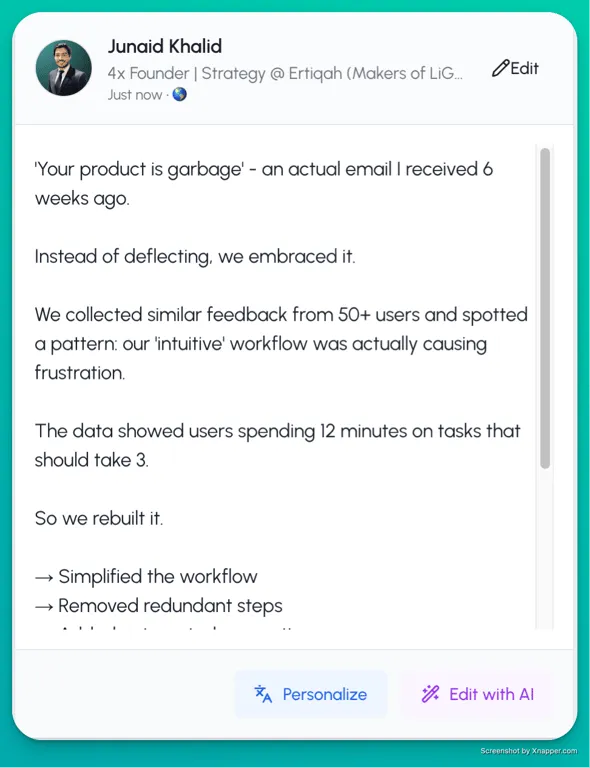
Maximizing your LinkedIn presence using LiGo involves leveraging its powerful features to generate, refine, and publish content that resonates with your target audience. Here’s how you can do it:
1. Define Your Content Theme
• Start by creating a detailed content theme in LiGo. Include:
• Your main topic.
• Target audience (e.g., SaaS founders, freelancers, solopreneurs).
• A description of the type of content you want to share.
• Use LiGo’s Themes Library to get inspiration or edit pre-made themes to suit your style.
2. Generate and Curate Ideas
• Use AI to generate content ideas based on your defined theme.
• Swipe through the ideas, liking the ones you want to use and discarding those that don’t fit.
• You can also manually add your own ideas for greater customization.
3. Craft Engaging Posts
• Select your favorite ideas and let LiGo generate LinkedIn posts. Edit these posts directly within the app.
• Use LiGo’s Post Rewrite feature to turn rough ideas or brainstorming notes into polished posts.
4. Experiment with Variants
• For each post, LiGo provides six variants:
• Three based on LiGo’s standard style.
• Three tailored to the tone and structure of your previous posts or posts you admire.
• This lets you find a style that works best for your brand voice.
5. Fine-Tune with AI Macros
• Adjust your posts quickly with features like:
• Change the hook.
• Adjust the length.
• Add hashtags for discoverability.
• These minor tweaks ensure your posts are optimized for LinkedIn’s algorithm and audience preferences.
6. Consistent Posting
• Plan and publish content regularly. LiGo’s ease of use ensures you can maintain a consistent posting schedule even with a busy workload.
7. Upgrade for Maximum Output
• If you’re serious about building your presence, consider upgrading to the Premium plan:
• Unlimited content ideas.
• Unlimited posts and themes.
• Full creative freedom to experiment and grow your LinkedIn audience.
By systematically creating valuable content and engaging with your audience, LiGo helps you grow a niche following, establish thought leadership, and potentially generate leads or revenue from LinkedIn.