"Should I comment on this, or will the whole office see it?"
Yes. Your LinkedIn comments are public by default, the post author is always notified, and your comment sits under the post for anyone who can see it, so assume every comment is public and permanent. It can also surface in your own connections' feeds as "so-and-so commented on this," and it can travel beyond your network when someone replies to you. There is no setting that makes a comment private or selectively hidden, but that visibility is not a problem to hide from. It is the single most useful thing about commenting, and this guide shows you exactly who sees what, and how to turn it into reach.
Since every comment is public, make each one worth reading: the free LigoSocial comment generator drafts a specific, thoughtful comment for any post in seconds.
Key takeaways
- LinkedIn comments are public by default. Anyone who can view the post can view your comment, and the author gets a notification every time.
- Your comment can appear in your own connections' feeds as "X commented on this," and it can reach people outside your network when others reply (the snowball effect).
- There is no privacy setting for comments. Turning off your "active status" hides your green dot, not your comments. That is the most common myth on Reddit about this.
- Your realistic controls are limited: delete a comment after the fact, keep truly sensitive reactions in DMs, or simply choose what you engage with in public.
- The reframe: comment visibility is not a privacy risk, it is your best distribution lever. In my own two-week test, daily substantive comments tripled my profile views.
- Random comments do not compound. A short, repeatable list of the right posts to comment on is what turns visibility into pipeline.
Who sees your LinkedIn comment: the complete breakdown
If you can see the post, you can be seen commenting on it. Comment visibility follows the post's visibility, not a separate privacy control. When you comment on a public post, your comment is attached to that post for its entire audience, and your name, headline, and photo travel with it.
Here is exactly who sees your comment and how it reaches them.
| Who | Do they see it? | How it reaches them |
|---|---|---|
| The post author | Always | They get a notification in the bell icon the moment you comment, and they can see, reply to, or delete it on their post. |
| The author's network / the post's audience | Yes | Your comment sits publicly under the post, so everyone who can view that post can read it, connected to you or not. |
| Your own followers and connections | Often | LinkedIn surfaces your activity to your network as "X commented on this," especially on mutual connections' posts or high-engagement threads. |
| People outside your network | Sometimes | If someone replies to your comment, that reply can surface to their connections, pulling your original comment into feeds you never touched. |
| Search and your Activity tab | Partially | Public posts and their comments can be indexed, and your profile's Activity tab lists your recent comments to any logged-in member who looks. |
The practical takeaway: there is no such thing as a quiet comment. Every comment is a small public act tied to your professional identity. That sounds like a warning, and for careless commenters it is. For everyone else it is the whole point, which we will get to.
Does the post author get notified when you comment?
Yes, always. The author receives a notification in their bell icon the instant you comment, and it is one of the few notifications LinkedIn almost never suppresses. If you reply to another person's comment, that person is notified too.
This matters more than it looks. A thoughtful comment is often a warmer first touch than a cold connection request, because the author sees your name attached to a genuine contribution rather than an empty "let's connect." That single notification is why commenting on the right people's posts is one of the most natural ways to get on their radar. For the language that earns that reply instead of getting ignored, see our LinkedIn comment examples for every situation.
Do your connections see your comments in their feed?
Often, yes, and this is the part most people miss. LinkedIn's feed is driven heavily by network activity. Instead of only showing you posts from accounts you follow, it shows you what your connections are engaging with. So when you comment, LinkedIn can put that post in front of your own connections with an "X commented on this" label attached.
That creates a compounding loop. Your comment is seen by the post's audience and by a slice of your own network. Some of them react or reply. Each reply can then surface to a new set of connections, and the post, with your comment on it, keeps spreading. One good comment can quietly reach several audience segments at once, which is exactly why a strong comment under a large creator's post can out-reach your own original posts.
You can measure that reach, too. Our guide to LinkedIn comment impressions shows where to find the numbers and what a good result looks like.
Can you comment on LinkedIn privately? An honest answer
No, not really, and it is important to be precise here because the internet is full of bad advice on this. LinkedIn does not offer a setting that hides your comments from the people who can see the post. If you comment on a public post, that comment is public. Full stop.
Here is what actually helps, and what does not:
- Delete the comment. You can remove your own comment at any time from the post or from the Comments tab of your Activity page. It disappears going forward, but remember the author was already notified when you posted it.
- Use reactions or DMs for sensitive stuff. A reaction carries far less signal than a comment, and a direct message is genuinely private. If you would not want it screenshotted, keep it out of the comment box.
- Choose what you engage with in public. Your comments are a public reflection of your judgment. Treat the comment box the way you would treat speaking up in a room full of your industry.
What does not work, despite what you will read in Reddit threads:
- Turning off "active status" does nothing for comments. That setting hides your green "online" dot. It does not hide your likes or comments from anyone.
- Hiding your profile from public search engines stops logged-out strangers on Google from browsing your activity, but any logged-in LinkedIn member who opens the post still sees your comment.
If your instinct is to hide your commenting, the better move is usually to change what you comment, not whether you comment. For a repeatable way to write comments you would be proud to have public, our 7-step formula for a genuinely good LinkedIn comment is a good starting point.

Who actually sees your LinkedIn comment, and how it reaches them.
The reframe: comment visibility is your best distribution lever
Here is where most guides stop and where the real answer starts. The reason your comment is so visible is the reason commenting works. When you comment under someone else's post, you borrow their distribution. You appear in front of the author, their audience, and a slice of your own network, all from 20 seconds of writing. Posting asks the algorithm to trust you cold. Commenting hands you a warm audience that is already paying attention.
I did not always believe this. So I ran a two-week experiment where I stopped posting entirely and instead left daily substantive comments on three to five high-signal posts (I did this alongside Jasmin Alic). My profile views tripled, and sign-ups followed. I wrote the results up in a Medium piece that went on to collect more than 13,000 engagements, hundreds of signups, and two annual subscriptions, none of it from posting more. These are my own observed numbers, not a study, but they changed how I use LinkedIn. In a commenting cohort I ran afterward, the pattern held over 60 days: roughly +146% profile views, +153% connection requests, +176% inquiries, and +238% new projects. Again, that came from commenting, not posting.
The catch is the word "substantive." Cheerleader comments like "great post" do the opposite of this, because they add nothing and get scrolled past. I only leave insights, contrarian takes, or a specific piece of experience. If you want the full argument with the math, we lay it out in why LinkedIn comments matter more than posts, and it anchors the complete guide to LinkedIn comments.
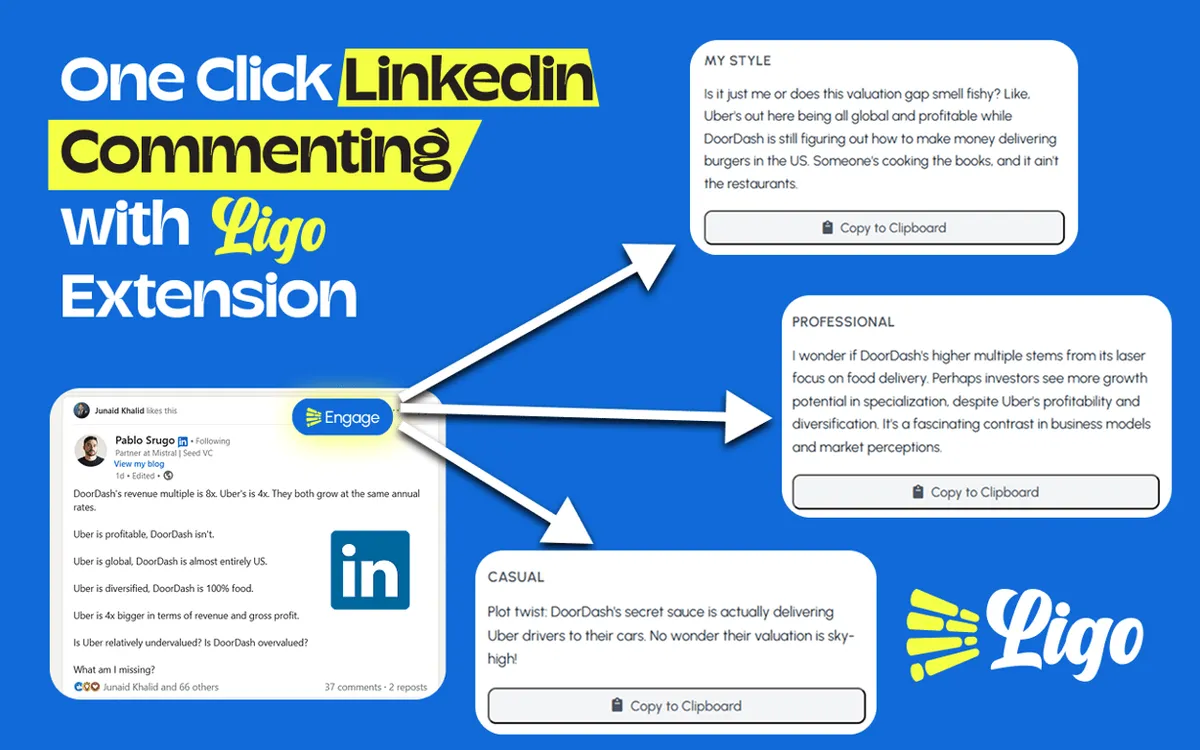
The problem was never effort. It was memory, and randomness. I know I should comment daily, but I could never remember which 10 people were worth commenting on, so my commenting was random, and random does not compound. That is the exact gap LigoSocial's Engagement Lists close: you save any LinkedIn search (your ideal clients, a set of creators your buyers follow) as a one-click curated feed, so the right posts to comment on are waiting for you each morning instead of buried in a noisy home feed. It is free on every plan and stores none of your LinkedIn data. Paired with the LigoSocial comment co-pilot in the Chrome extension, which suggests six comment options (three in your own voice, three optimized) that you review and post yourself, a daily commenting habit takes about 10 minutes. These days I spend roughly 30 minutes a day leaving five to ten comments on posts whose audience overlaps my ideal customer, and that habit does more for my pipeline than any post.
Make your visible comments actually count
Because every comment is public, the quality bar is the whole game. A visible thoughtful comment builds your reputation. A visible lazy one quietly erodes it. Three quick rules keep public commenting working for you rather than against you:
- Add one specific thing. A number, a counterexample, a lesson you learned the hard way. Specificity is what makes a stranger click your name.
- Comment where your buyers already are. Reach only compounds if it reaches the right people. Pick posts whose audience overlaps yours, not just posts you happen to see.
- Show up on a rhythm, not in bursts. A few comments most days beats 30 comments once a month, because consistency is what the algorithm and your network both reward.
If you ever get stuck on the wording, paste the post into the LigoSocial comment generator and you get a specific draft to edit, so you are never staring at a blank box.
FAQ
Do my connections see my LinkedIn comments?
Often, yes. LinkedIn surfaces your activity to your own network, so your connections can see your comments in their feed as "X commented on this," especially on posts from mutual connections or on threads that are already getting strong engagement. Your comment is also public under the original post, so any connection who opens that post sees it regardless.
Can I comment on LinkedIn without everyone seeing?
No. There is no setting that makes a comment private or hides it from selected people. If you comment on a public post, anyone who can see the post can see your comment, and the author is always notified. Your only real options are to delete the comment afterward, or to keep genuinely sensitive thoughts in a direct message instead of the comment box.
Are LinkedIn comments private?
No. LinkedIn comments are public by default and tied to your professional identity. They can appear in feeds, they are listed on the Activity tab of your profile, and on public posts they can even be indexed by search engines. Treat every comment as public and permanent before you hit post.
Does LinkedIn notify people when you comment?
The post author is notified every time you comment, in their bell icon. If you reply to someone else's comment, that person is notified as well. Your wider network is not sent a direct alert for each comment, but LinkedIn can still show your comment activity in their feed.
Does turning off active status hide my comments?
No. "Active status" only controls the green dot that shows when you are online. It has no effect on the visibility of your likes or comments. This is one of the most common pieces of misinformation about LinkedIn privacy, so do not rely on it to keep your engagement quiet.
Can people see which posts I have commented on?
Yes. Any logged-in LinkedIn member can open the Activity section of your profile and see your recent comments under the Comments tab. You cannot remove that section, though you can delete individual comments you no longer want associated with your name.
If I delete a comment on LinkedIn, will they know?
LinkedIn sends no alert when a comment is deleted, but the post author may already have seen the notification from when you posted it. If you delete someone else's comment on your post, they are not notified either.
Your move
So the honest answer is: yes, people see when you comment, and that is a feature, not a bug. The question worth asking is not "how do I hide this," it is "how do I make this visibility work for me." Comment visibility is free distribution to a warm audience, and almost nobody uses it on purpose.
Here is my question for you: which five posts, from people whose audience is also your audience, will you comment on this week? Pick them tonight, and you have already beaten the version of you that meant to comment but could never remember where. If you want the system I use to make that automatic, LigoSocial's Engagement Lists and comment co-pilot are built exactly for this. Try it at ligosocial.com. Then tell me in the comments: what is the best comment you have ever left, and what did it lead to?