Your LinkedIn URL is the full web address of your profile (for example, https://www.linkedin.com/in/janedoe), and your username is the editable part right after linkedin.com/in/. On a computer, open your profile and read it straight from the browser address bar or the right rail. On the LinkedIn app, tap your profile photo, open your full profile, tap the three dots next to Add section, then tap Contact info to see and copy it. That is the whole answer, and the rest of this guide shows the exact taps for every device, clears up why "URL," "username," and "profile ID" are three different things, and shows how to set a clean custom URL you can put on a resume or in a DM.
Key takeaways
- Your LinkedIn URL is the full link; your username is the slug after
/in/. They are related, not identical. - Desktop is fastest: Me icon, View Profile, then read the address bar or the Public profile and URL box on the right.
- On the mobile app, the URL lives under Contact info (profile photo, View Profile, three dots, Contact info).
- A default URL like
/in/jane-doe-7b920a41can be changed to a clean custom URL in about 30 seconds; the slug must be 3 to 100 characters, letters, numbers, and hyphens only. - Company pages work the same way, except the slug sits after
linkedin.com/company/instead of/in/.
LinkedIn URL vs username vs LinkedIn ID: what is the difference?
Most confusion here comes from three terms that get used interchangeably but are not the same thing. Your URL is the address, your username is the customizable slug inside it, and your profile ID is the random default LinkedIn hands you before you clean it up. Getting this straight makes every step below obvious.
| Term | What it actually is | Example |
|---|---|---|
| LinkedIn URL | The full web address of your profile | https://www.linkedin.com/in/janedoe |
| Username (vanity or custom URL) | The editable part after /in/ |
janedoe |
| Profile ID (default) | The random slug LinkedIn assigns before you customize it | jane-doe-7b920a41 |
LinkedIn does not use @handles the way X (formerly Twitter) or Instagram do, so the slug after /in/ is the closest thing you have to a username. For a company page, the same idea applies, except the custom slug appears after linkedin.com/company/. When a recruiter, client, or form asks for "your LinkedIn URL," they want the full link. When a tool asks for your "username," it usually wants only the slug.
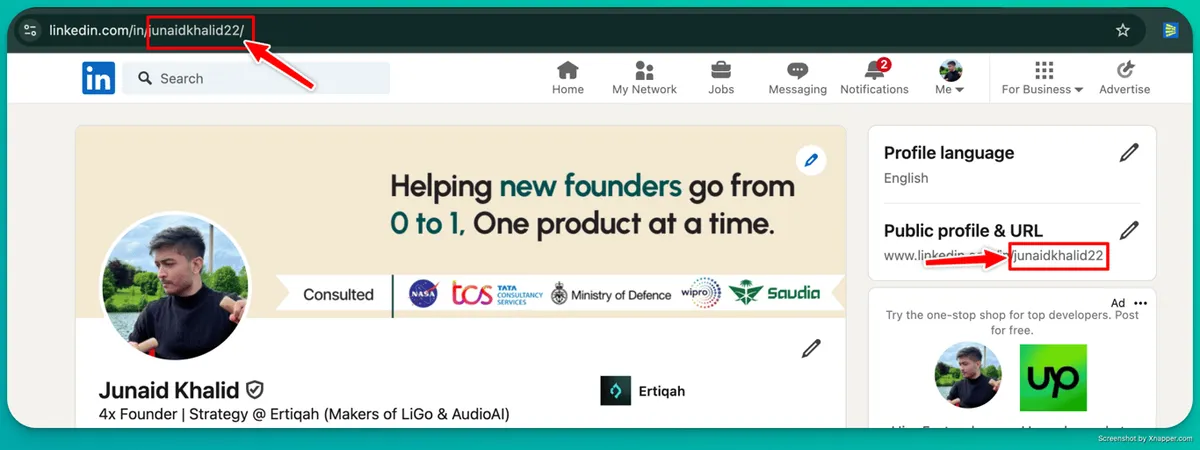 The same thing on a real profile: everything after
 linkedin.com/in/ is your username.
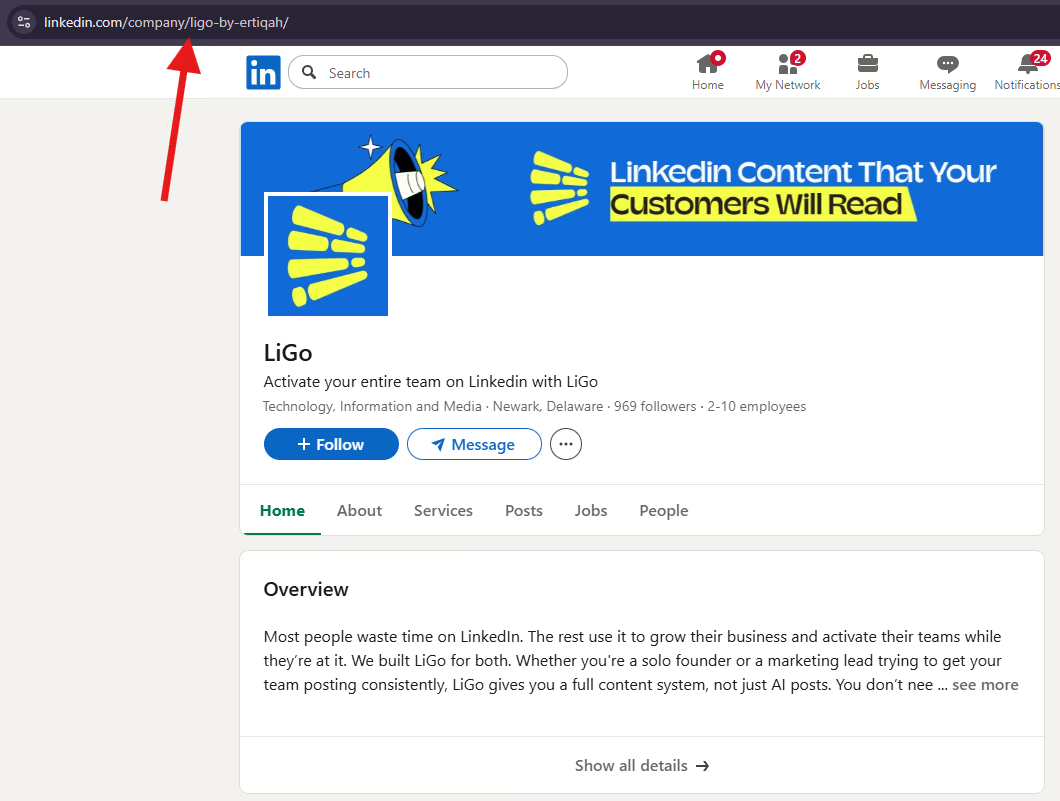 And on a company page, where the same slug sits after
 linkedin.com/company/ instead.
How to find your LinkedIn URL and handle on any device
Your LinkedIn handle is the same as your username: the part after linkedin.com/in/.
The path differs slightly on a computer, in the app, and in a phone browser, so here is each one in full. Every step below matches LinkedIn's current 2026 layout.
| Device | Where it lives | Exact steps |
|---|---|---|
| Desktop (browser) | Address bar or right rail | 1. Click the Me icon at the top of your homepage. 2. Click View Profile. 3. Read the browser address bar: everything after linkedin.com/in/ is your username. 4. Or look under Public profile and URL on the right rail and click Copy. |
| Mobile app (iPhone and Android) | Contact info | 1. Tap your profile photo (top left). 2. Tap it again to open your full profile. 3. Tap the More icon (three dots) next to Add section. 4. Tap Contact info. 5. Your public profile URL is listed there. Tap to copy. Shortcut: More, Share via, Copy. |
| Mobile web (phone browser) | Address bar | 1. Open linkedin.com in your phone browser and sign in. 2. Open your profile. 3. Tap the browser menu and choose Request Desktop Site. 4. Read or copy the URL from the address bar. |
Two things worth knowing. First, the URL you copy from the app is identical to the one on desktop, so it does not matter where you grab it. Second, the app has no address bar, which is exactly why the Contact info route exists. If you only need to send the link, "Share via, Copy" is one tap shorter than opening Contact info.
How to find your LinkedIn company page URL
For a company or brand page, the slug lives after linkedin.com/company/ instead of /in/. On desktop, navigate to the page and read the address bar. In the app, open the page, tap the three dots, tap Share Page, then copy the link. What lands on your clipboard looks like https://www.linkedin.com/company/your-brand/, and the part after /company/ is the page's username.
How to set a clean custom LinkedIn URL
If your URL looks like linkedin.com/in/jane-doe-7b920a41, you can replace the random tail with a clean slug in under a minute. This is the same setting whether you call it changing your URL, editing your username, or setting a vanity URL.
On desktop:
- Click the Me icon, then View Profile.
- On the right rail, click Edit public profile and URL.
- Under Edit your custom URL (top right), click the pencil icon.
- Type your new slug, for example your name.
- Click Save.
You can start this from the app too: tap your Profile URL in the Contact info section and LinkedIn opens the public profile settings page where you can edit it.
| Rule | Detail |
|---|---|
| Length | 3 to 100 characters |
| Allowed characters | Letters, numbers, and hyphens |
| Not allowed | Spaces, symbols, special characters |
| Uniqueness | It cannot already be in use by another member |
| After a change | Old links stop working once you save the new slug, so update your resume and signature |
Copyable examples that read as professional:
- Best:
jane-doeorjanedoe(your real name, nothing else) - If your name is taken: add a role or city, like
jane-doe-croorjane-doe-nyc - Avoid: underscores, birth years, and long number strings, like
jane_doe_2019orjanedoe93841
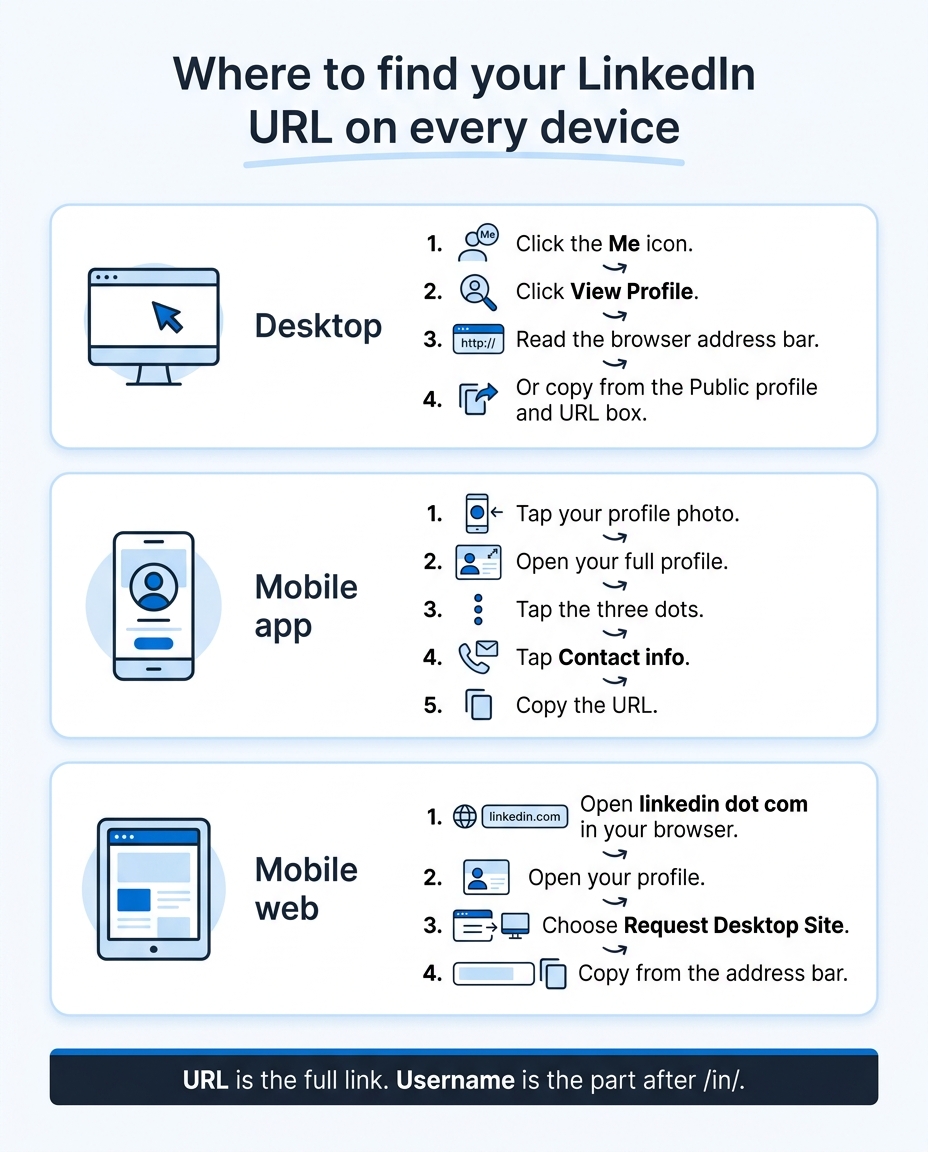 Where your LinkedIn URL lives on each device, and how to copy it in a few taps.
Why your LinkedIn URL is part of your personal brand
Your URL is small, but it shows up in more places than you think: email signatures, pitch decks, resumes, cold outreach, and the search results when someone Googles your name. A clean custom URL is the cheapest credibility win on your whole profile, and most people never touch it.
In the profile audits I have run, the messy default URL is usually the last thing anyone fixes, even after they have rewritten the headline three times. I treat it as one piece of the same footprint: the URL, the headline, the About section, and the Featured section should all point at the audience you actually want inbound from, not at a recruiter. If you are building a founder or agency brand, that consistency compounds every time someone copies your link.
Once the URL is sorted, the parts that do the heavy lifting are the words around it. A sharp LinkedIn headline and a specific About section are what turn a click into a conversation, and your Featured section is where you prove it. Above all of it sits your banner, the first thing a visitor sees, so check the LinkedIn banner size before you upload one. If you want the full playbook, start with the pillar on personal branding on LinkedIn, then run through the profile checklist so nothing is left half-finished. If your headline is flat, this LinkedIn headline generator gives you a few angles to test.
How LiGo uses your LinkedIn URL to learn your voice
The profile URL you just copied is also the fastest way into LiGo. Paste it when you join, and LiGo reads your profile and past posts so the drafts it writes sound like you rather than generic AI.
- On the LiGo sign-up screen, paste your LinkedIn profile URL and confirm Is this you?
- LiGo reads your profile and past posts and builds LigoBrain: the opinions, facts and anecdotes it has learned about you, with a Your AI Twin strength score.
- Draft a post in your voice, check it in the desktop and mobile preview, then schedule it on your content calendar or publish it to LinkedIn.
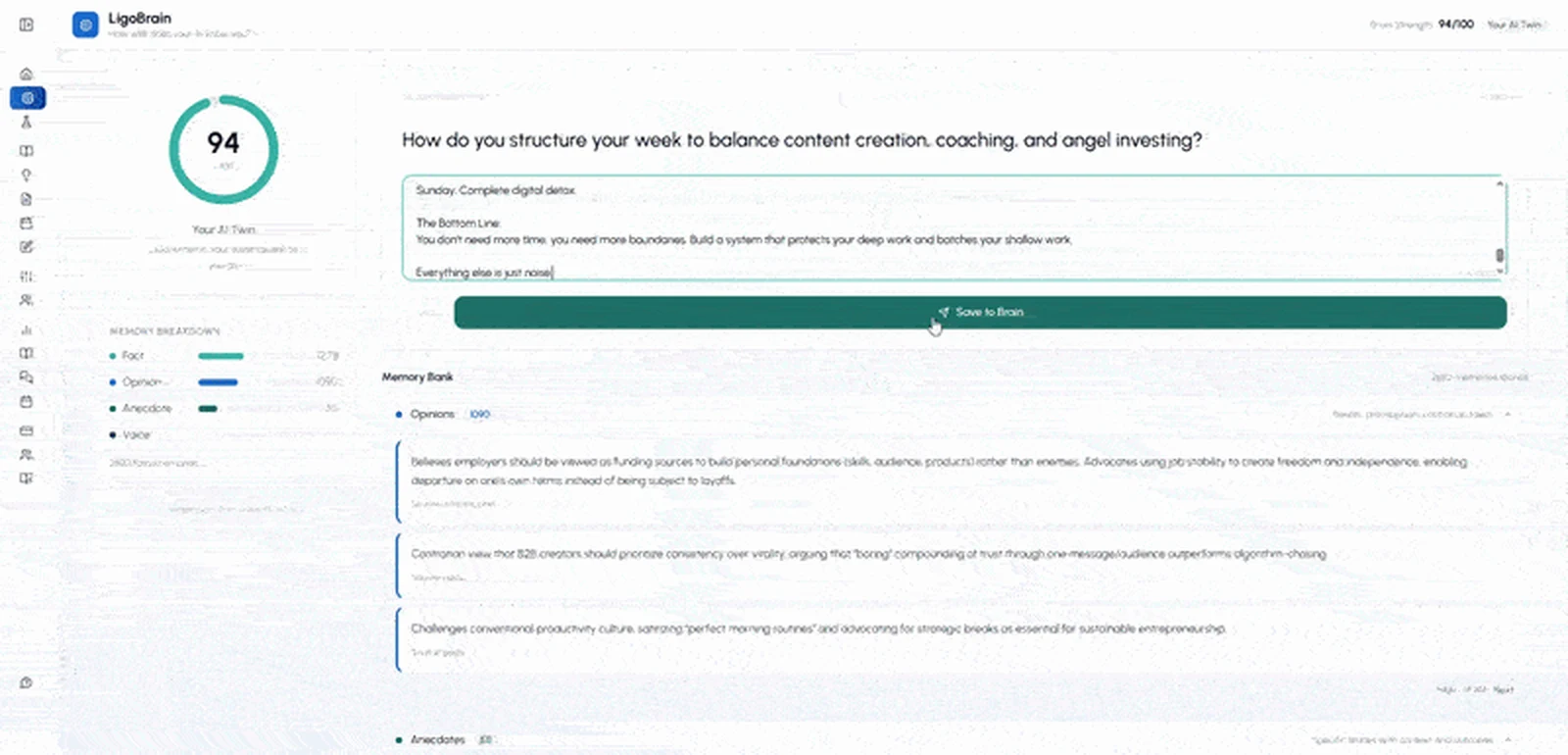
Try it at ligosocial.com with the URL you just found.
FAQ
What is my LinkedIn username?
Your LinkedIn username is the part of your profile URL that comes after linkedin.com/in/. If your URL is https://www.linkedin.com/in/janedoe, your username is janedoe. LinkedIn does not use @handles, so this slug is the closest thing it has to a username. To see it, open your profile on desktop and read the address bar, or in the app go to profile photo, View Profile, three dots, Contact info.
What is my LinkedIn ID?
Your LinkedIn ID is the part of your profile link after linkedin.com/in/: the same text as your username, or the random default (like jane-doe-7b920a41) if you have never set a custom URL. In the app, tap your photo, open your profile, tap the three dots, then Contact info to copy it.
How do I find my LinkedIn URL on the app?
Open the LinkedIn app and tap your profile photo in the top left, then tap it again to open your full profile. Tap the More icon (the three dots) next to Add section, then tap Contact info. Your public profile URL is listed there, and you can tap to copy it. If you only need to send it, tap the three dots and choose Share via, then Copy.
Can I change my LinkedIn URL or username?
Yes. Changing your LinkedIn username means editing your custom URL. On desktop, click the Me icon, then View Profile, then Edit public profile and URL on the right rail. Under Edit your custom URL, click the pencil icon, type your new slug, and click Save. The slug must be 3 to 100 characters and can only contain letters, numbers, and hyphens. Note that your old link stops working after you change it, so update your resume and signature.
Where is my LinkedIn URL on my iPhone?
It is in the same place as on Android: open the app, tap your profile photo, open your full profile, tap the three dots next to Add section, and tap Contact info. Your URL appears under Your Profile. The iPhone app has no address bar, so Contact info (or Share via) is the reliable route.
What is a LinkedIn URL on a resume?
It is your full public profile link, for example https://www.linkedin.com/in/janedoe, added near your contact details so a recruiter can open your profile in one click. Use a custom URL rather than the default random one, since a clean link looks more deliberate and is easier to type if the resume is printed.
How do I send my LinkedIn URL to someone?
Copy it using any method above, then paste it into a message, email, or form. On the app, the fastest way is the three dots, Share via, then Copy, which puts the link on your clipboard so you can paste it anywhere. The link works for anyone, whether or not they are logged in, as long as your profile is public.
Once your URL is clean, the harder question is whether the content behind it sounds like you. That is what LigoSocial is built for: its voice model, LigoSocial Brain, learns your tone and topics from your own past posts so what you publish reads like you wrote it, not like generic AI. Try it at ligosocial.com. So, after someone clicks your cleaner link, what is the first thing you want them to read?