
Free LinkedIn Comment Generator: Write Thoughtful Comments in Seconds
Want to grow faster on LinkedIn without sounding like a bot? This tool generates three types of comments: professional opinions, clever satirical remarks, and thought-provoking questions.
Just paste any LinkedIn post below and get all three AI-powered comment styles instantly.
No signup required. Completely free. Write these comments inside LinkedIn with the LigoSocial extension
Comment right from your LinkedIn feed
Add the LigoSocial Chrome extension to generate comments on any post without leaving LinkedIn.
Prefer to speak instead of type? Try Contextli for voice dictation
Now skip the copy and paste: get these comments inside LinkedIn
The LigoSocial extension sits in your LinkedIn feed. Open any post, pick a style, and get comments that sound like you, right under the post. It also drafts a reply to every comment on your own posts, so a busy thread takes minutes, not an evening.
Write these comments inside LinkedIn with the LiGo Chrome extension
The comment generator above stays free and needs no signup. The account is for the LigoSocial product.
Staring at a blank comment box?
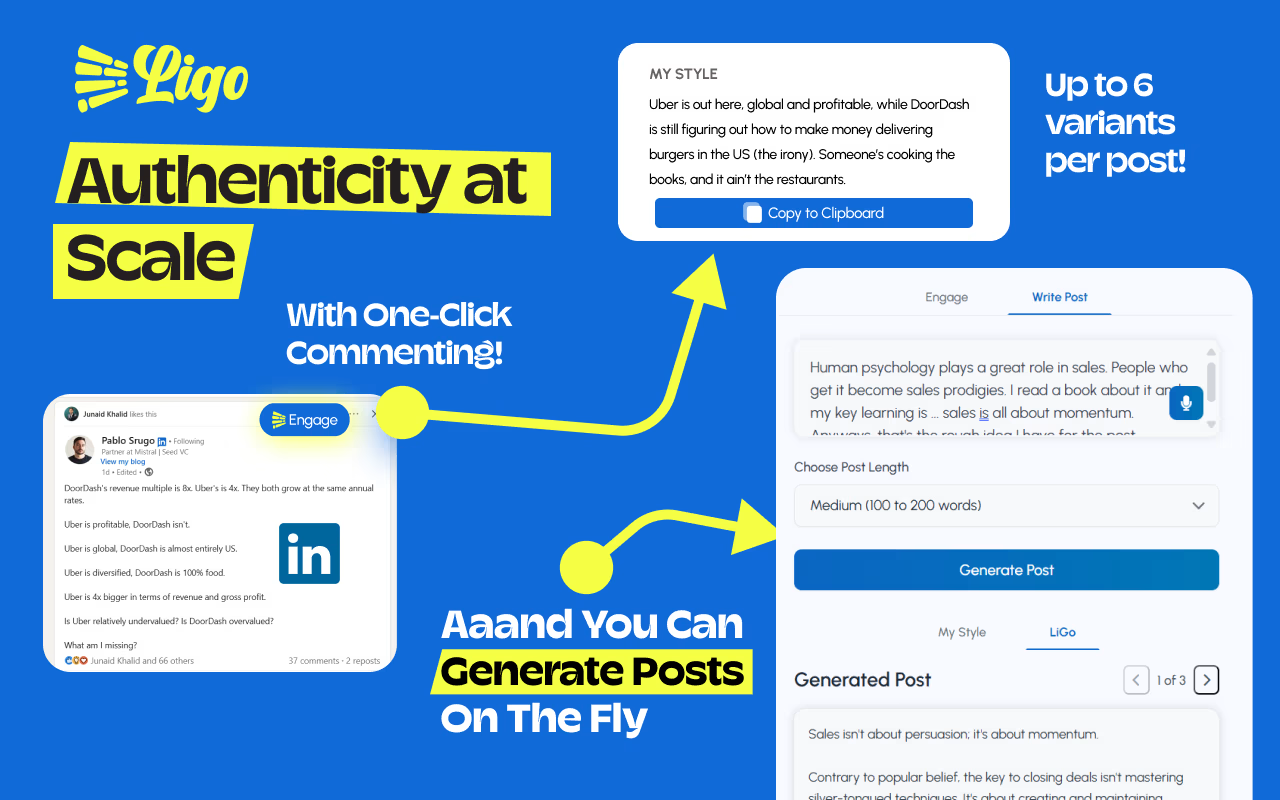
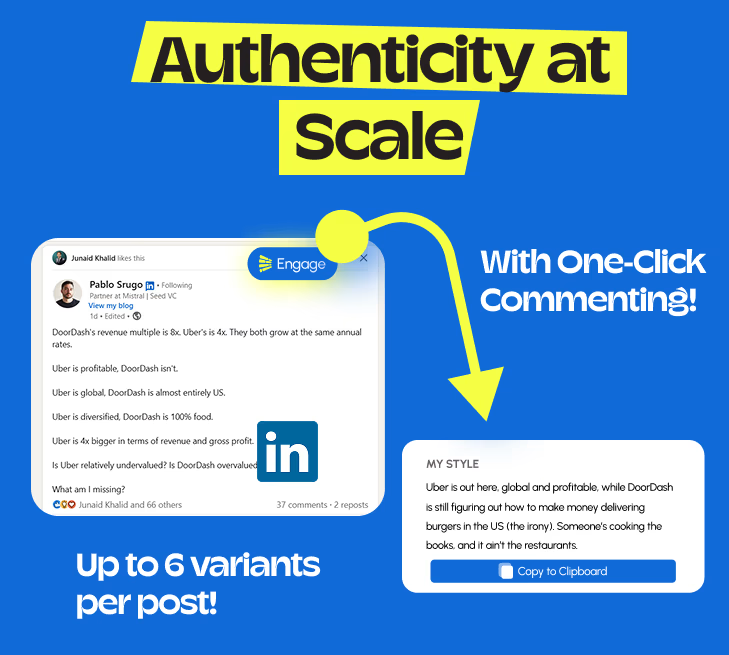
The LigoSocial extension puts six comment options right under the post: three in your voice and three in optimized styles. Pick one, change a line, and post it yourself.

Why LinkedIn Comments Matter More Than You Think
Most people treat LinkedIn commenting as an afterthought. They drop a "Great post!" or a fire emoji and move on. That is a missed opportunity.
Here is what actually happens when you leave a thoughtful comment: LinkedIn shows your comment to the original poster's entire network. If that person has 10,000 followers and you leave a substantive reply, you have just introduced yourself to a new audience without writing a single post of your own.
The data backs this up. Posts with high comment engagement get 3-5x more reach than posts with only likes. And because LinkedIn's algorithm rewards early engagement, a well-placed comment in the first hour of a post going live can have an outsized impact on how widely it circulates.
For anyone building a personal brand or doing B2B outreach, commenting is arguably the highest-ROI activity on the platform. The problem is it's time-consuming to do well. That's exactly the problem this tool solves.
How to Write LinkedIn Comments That Get Noticed
Five frameworks that turn a generic reply into a comment worth reading.
1. The Perspective Add
Share a related viewpoint that builds on what the poster said. Don't agree or disagree -- just extend the conversation.
Before
"Great insight!"
After
"This matches what we saw with our outbound team. The shift from volume to relevance cut our reply rate by half but tripled our booked meetings."
2. The Honest Question
Ask something you actually want to know. Specific questions get specific answers. Vague questions get ignored.
Before
"Interesting, what do you think?"
After
"How did you handle the pushback from leadership when you first proposed this? That's where we always get stuck."
3. The Counterpoint
Respectfully disagree with one specific point. Controversial? Yes. Memorable? Absolutely.
Before
"Love this, totally agree."
After
"I'd push back slightly on point 3. In enterprise sales, I've found that moving fast actually increases deal mortality -- slower, deliberate follow-ups outperform urgency every time."
4. The Personal Story
Connect the post to a real experience you had. Even one sentence of specificity makes you stand out.
Before
"This is so true!"
After
"I experienced exactly this three years ago at my first startup. We ignored retention metrics for six months and thought we were killing it. We were not."
5. The Resource Reference
Point to a related book, article, or concept. It signals that you think deeply and positions you as someone worth following.
Before
"Good point about AI."
After
"Cal Newport's argument in 'Deep Work' maps perfectly onto what you're describing. The scarcity of focused attention is the actual leverage point."
How It Works
Three steps. Under 30 seconds.
Paste the LinkedIn post
Copy any LinkedIn post you want to comment on and paste it into the text area above.
Generate three comments
Click generate. The AI reads the post and produces three context-aware comments: one professional, one witty and one thought-provoking question.
Pick, edit, and post
Choose the comment that fits best, tweak it to sound more like you (optional), and paste it directly into LinkedIn.
LinkedIn reply generator: answer comments on your own posts
The comments under your own post matter as much as the post. Every reply you write counts as fresh activity, keeps the thread near the top of people's feeds, and turns a reader into a conversation. Most people reply to the first five comments, then run out of time and leave the rest hanging.
You can use this tool as a reply generator. Paste the comment you received, add one line about what your post said, and generate. You get three replies to pick from. The LigoSocial extension does this for you on LinkedIn: it drafts a reply under every comment on your posts, in your voice, so you only edit and send.
Your post: why you stopped sending cold DMs
Comment you got
"Interesting. So what do you do instead?"
Reply that keeps it going
"I comment first. Two or three useful comments on someone's posts over a week, then a DM that mentions one of them. My reply rate went from almost nothing to a real conversation most weeks."
Your post: a lesson from a failed product launch
Comment you got
"Thanks for being so honest about this. Rare to see."
Reply that keeps it going
"Thank you. Writing it down was the only way I could stop replaying it. If it saves one person from launching without talking to ten customers first, it was worth it."
Your post: a hiring tip for first-time managers
Comment you got
"I disagree. Culture fit is overrated and leads to teams that all think alike."
Reply that keeps it going
"Fair point, and I think we agree more than it looks. I mean fit with how the team works, like owning problems and giving feedback, not fit with who they are. Same values, different backgrounds is the goal."
Notice the pattern: each reply answers the question, adds one new detail, and leaves room for the next comment. That is what makes a thread grow.
AI comment writer vs writing it yourself
Writing every comment yourself gives you the most control, but it is slow. A good comment takes three to five minutes when you start from a blank box, so ten a day is close to an hour. That is why most people stop after a week.
An AI comment writer gets you past the blank box. You still decide what to say, but you start from a draft that already reacts to the post. Here is the same post handled both ways.
Post: "We cut our meeting time in half by making every meeting start with a written doc."
Rushed, from scratch
"Great tip, thanks for sharing!"
AI draft, then one edit
"The doc also exposes when there is nothing to discuss. We tried this and cancelled about a third of our weekly meetings in the first month. Did you find people actually read the doc before the meeting?"
| Writing it yourself | AI draft you edit | |
|---|---|---|
| Time per comment | 3 to 5 minutes | Under a minute |
| Sounds like you | Always | Yes, once you add one personal detail |
| Keeps going on busy days | Usually the first thing you skip | Easy to keep up |
| Best for | Close contacts and sensitive topics | Daily commenting in your niche |
The best setup is both: let the AI write the first draft, then spend ten seconds making it yours. For tips on that last step, read how to use AI comments without sounding like a robot.
Best AI tools for LinkedIn commenting
There are a handful of tools worth knowing. They all write comment drafts. The differences are where they work, how much they learn about you, and whether they help with replies on your own posts. Here is an honest look, including where others fit better.
| Tool | Where it works | Drafts per post | Your voice | Best for |
|---|---|---|---|---|
| LigoSocial | Free web tool plus a Chrome extension in your feed | 3 on the web, 6 in the extension | Learns from your past comments | Daily commenting plus replies on your own posts |
| Engage AI | Chrome extension on LinkedIn | One at a time, by tone | You pick a tone | Quick single comments with a set tone |
| Taplio | Web app with a Chrome extension | Suggestions in its engagement feed | Based on your profile | Creators who also want scheduling and analytics in one place |
| Commenter AI | Web app plus a Chrome extension on LinkedIn | One per click | Tone settings | Simple one-click comments |
| ChatGPT | Separate chat window | As many as you ask for | Only what you paste in | One-off comments when you already have it open |
Whatever you pick, choose a tool that drafts and lets you post yourself. Tools that comment for you on autopilot put your account at risk. Here is why: are auto-comment tools safe?
Keep going
| If you want to | Go here |
|---|---|
| Use AI comments without sounding like a robot | 5 ways to keep AI comments human |
| Know if auto-comment tools are safe | Auto-comment tools: risks and safer options |
| Keep a list of people worth commenting on | LinkedIn engagement lists |
| Write the post too | LinkedIn post generator |
| Write a recommendation for a colleague | LinkedIn recommendation generator |
Use our Comment Generator inside LinkedIn
Generate comments directly while browsing with our powerful Chrome extension
Why use the extension?
Free to install. Works on any Chromium browser.
See it in action:
LigoSocial Chrome Extension Demo
Master LinkedIn Comments Like a Pro
Practical strategies to boost your visibility and grow your network through strategic commenting
Why Use a LinkedIn Comment Generator?
And unlike most tools out there, LiGo comments don't sound robotic. They're trained to mimic how real professionals write.
How to Use the Tool
Paste the LinkedIn post you want to comment on
Choose your tone: Insightful, Supportive, Casual, or Questioning
Hit generate and you'll see 3-6 AI-suggested replies
Want Even Smarter Comments?
Try the LiGo Chrome Extension for comments directly inside LinkedIn:
This is how busy founders, SDRs, and ghostwriters stay consistent without wasting time.
Install Now on ChromeExpert Tip: Why Comments Matter
Posting is just half the game on LinkedIn. The other half is engaging strategically.
Comment on ICP posts to warm up leads
Leave replies that invite DMs
Use questions to spark debate
You can even combine this tool with our LinkedIn Post Generator to build your full engagement funnel.
Who This Is For
Freelancers trying to build a presence
Founders growing a brand without doing all the work
SDRs looking for creative ways to engage prospects
Creators who want to stop overthinking their replies
More on LinkedIn Commenting Strategy
Check out our guides on getting more out of every comment you write:
Looking for More Free Tools?
LiGo is your complete LinkedIn strategy toolkit.
Try the free tools, then upgrade your workflow with the full app.
Explore the full platformCheck Out Our Other Free Tools
Discover our complete suite of LinkedIn optimization tools to enhance your professional presence
LinkedIn Headline Generator
Create an attention-grabbing LinkedIn headline that makes your profile stand out.
Try for FreeLinkedIn Summary Generator
Create a compelling, recruiter-friendly LinkedIn summary that showcases your professional brand.
Try for FreeLinkedIn Post Generator
Create engaging, professional LinkedIn posts that drive engagement and showcase your expertise.
Try for FreeFrequently Asked Questions
Everything you need to know about the AI LinkedIn Comment Generator.
Boost Your LinkedIn Engagement
Discover more insights on commenting, networking, and growing your presence on LinkedIn.

Generate Better Comments, Directly on LinkedIn
Stop copy-pasting. Get 6 AI-powered comment suggestions per post, right inside your LinkedIn feed with our Chrome Extension.
Write these comments inside LinkedIn with the LiGo Chrome extensionSee plans and pricing
Free to install. Works in Chrome, Edge, Brave and Arc.