
Reviewing & Selecting Content Ideas
Content ideas are the starting point for your LinkedIn posts. LigoSocial generates them from your content themes, and you pick the best ones to turn into posts. This guide shows how to review, refine and select ideas, and how to judge which ones are worth a post.
Where to find your ideas
- In the default sidebar, click Create Post, then From my idea bank.
- In the Classic layout, open WRITE > Post Ideas.
- Or go to https://app.ligosocial.com/content-ideas.
To get a new batch of ideas, open a theme (see Creating your first content theme) and click Generate Post Ideas. You can do this from the theme editor, or from the theme's card in My Themes on the Content Themes page.
The Post Ideas page
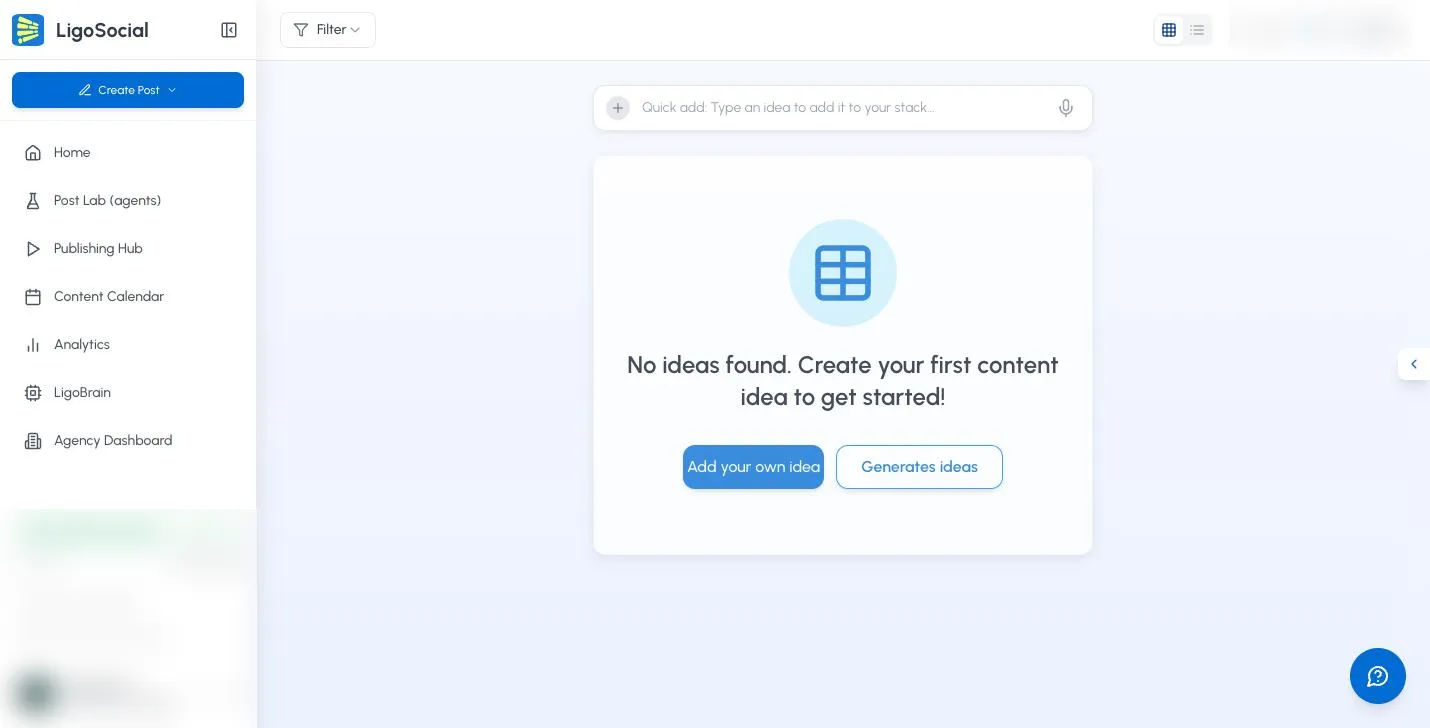
- Filter: show ideas from one Theme or one Category. Pick All Themes or All Categories to clear it.
- Card View and List View: the two icons at the top right switch the layout.
- Quick add bar: type an idea and press Enter to add it, or click the microphone to record it.
- Content Ideas (N): the number of ideas shown. If you have many, click Load more ideas at the bottom.
Each idea card shows its theme, the idea and sometimes a short description, plus three actions:
- Edit (pencil): change the idea text.
- Dismiss (trash): remove the idea.
- Generate: write a post from the idea.
If you have no ideas yet, you will see Add your own idea and a button that takes you to your themes to generate some.
How to judge an idea
An idea is a starting point, not the finished post. When you review one:
- Look at the concept, not the exact wording.
- Picture how it could grow into a full post.
- Think about which of your own experiences or client stories could make it stronger.
- Ask whether your target audience would care.
Give priority to ideas that:
- Match your expertise, so you can add real insight.
- Support your current business or personal brand goals.
- Add variety, so your feed mixes stories, how-tos, opinions and lists.
- Interest you. You will write a better post about something you care about.
- Solve a real problem your audience has.
Some simple ideas have strong potential if they allow a personal story, a useful number or data point, a visual, or a question that gets people commenting.
Refine an idea before you generate
The idea text has a big influence on the post you get, so it is worth sharpening first.
- Click the idea text, or click Edit.
- Change or rewrite the idea in the text box.
- Click the check mark to save, or the X to cancel.
Useful things to add:
- The actual framework or steps: "My 30-day outreach framework" becomes "My 30-day outreach framework: 1. ... 2. ... 3. ..."
- Numbers: results, percentages or research you want mentioned.
- Examples: the specific example or client situation you want included.
- Your context: one or two lines about your experience with the topic.
- Audience focus: which part of your audience this post is for.
You do not need to write the whole post. A few specific details are enough.
Select an idea and generate the post
- Click Generate on the idea.
- The Generation Queue panel opens on the right and shows the progress. You can keep reviewing ideas while it runs.
- When it is done, click Click to view posts to open the new post in the Publishing Hub.
Ideas you do not use stay in your list until you dismiss them, so you can come back to them later.
Next, see the Complete guide to post publishing to review, edit and publish the post.
When several ideas look good
- Timely or evergreen: is one especially relevant right now?
- Content mix: which fits best with what you have already scheduled?
- Effort: is this a quick post or a deeper piece you need time for?
- Audience need: which solves the most pressing problem for your audience?
- Testing: which lets you try a new topic or format?
Common questions
Do unused ideas expire?
No. Ideas stay in your list until you dismiss them or generate a post from them.
How many ideas can I generate?
Generating ideas and posts uses your plan's monthly allowance. The current balance is shown at the top right of the Post Ideas page.
What if none of the ideas appeal to me?
- Generate a new batch from your theme.
- Edit an existing idea so it fits better.
- Add your own idea. See Adding your own content ideas.
- Make your theme more specific so future ideas are more targeted.
How do I get more specific ideas?
Ideas are only as specific as your theme. Add more detail to I write about, describe your audience more precisely in I write for, and add your specific expertise to Background & Offering. See the Content theme strategy guide.
Was this page helpful?