
Posting Images, Carousels, PDFs, and Video with LigoSocial
LigoSocial posts are not limited to text. You can attach images, a video or a PDF document to a post, and you can turn a post into a designed carousel. This guide shows how, and what to check if an upload does not work.
What you can attach
Each post can carry one type of media:
- Images: one or several. JPG, PNG, GIF or WebP, up to 5 MB each. GIFs are uploaded as files; there is no built-in GIF search.
- Video: one video per post. MP4, MOV or WebM, up to 400 MB.
- PDF: one PDF, shown on LinkedIn as a swipeable document post. Up to 100 MB.
You cannot mix types in one post. For example, images and a video together, or a PDF with images, are blocked with a message such as "You can upload either images OR a video, not both."
Attach media to a post
- Open the Publishing Hub in the sidebar.
- Find the post. You can add media to posts under Drafts, Liked, Scheduled and Failed. Posts under Published, Archived and Recycle Bin cannot take new media.
- Open the post's ... menu (More actions) and choose Attach media.
- The Media Library dialog opens with two tabs:
- My Library: pick one or more files you uploaded before.
- Upload new: drag a file in or click to browse. Uploads are saved to your library and selected automatically once they finish.
- Click Attach (it shows how many files you selected, for example Attach (2)).
- Schedule or publish the post as usual.
Your Media Library
Every file you upload is kept in your Media Library so you can reuse it in later posts. To manage it directly, open https://app.ligosocial.com/media-library (in the Classic layout: WRITE > Media Library). There you can upload files ahead of time, search by name, and filter by Images, Videos or PDFs.
Carousels
The carousel generator turns the text of a post into a designed, multi-slide carousel and attaches it to the post as a PDF document.
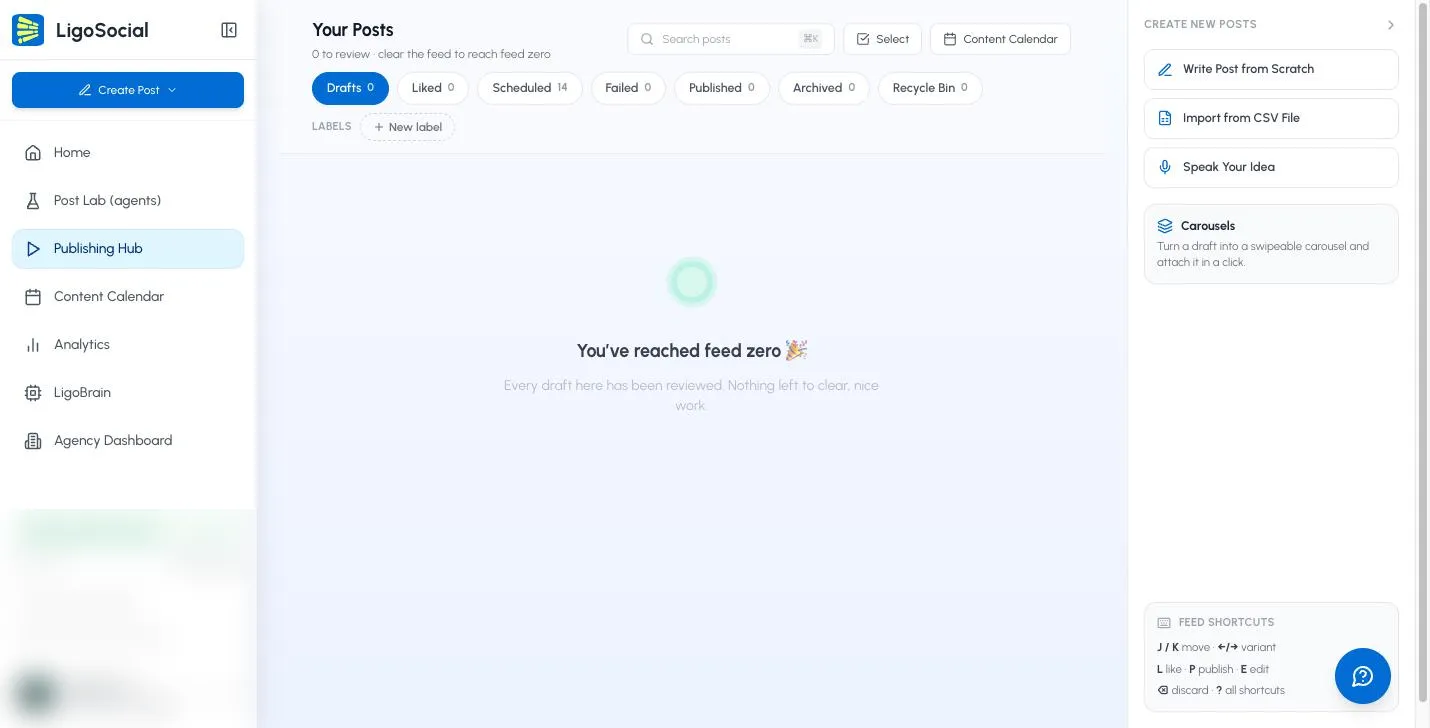
- In the Publishing Hub, open the carousel generator in one of these ways:
- Click Carousel at the bottom of a post card.
- Click the Carousels card in the CREATE NEW POSTS panel on the right.
- In LigoAI Carousel Generator, choose a style:
- Text-Only: slides built from your text with a designed layout.
- Image-Based: adds AI-generated visuals to the slides. Image-based carousels use more of your monthly usage than text-only ones.
- Set the Number of cards and pick a Theme (the colours and fonts). If you like, open Advanced settings to set Content verbosity (how much text goes on each card), Image style, and any extra instructions under Anything extra for LigoAI? (for example, "put a call to action on the last card").
- Click Generate Carousel.
- When Your Carousel is Ready appears, flip through the preview. Click Use this carousel to attach it, Regenerate to try again, or Download to save the PDF.
Carousel generation is available on plans that include it; see Billing in the app. If your plan does not include it, clicking Carousel shows a message with a See plans button.
Media from Claude and other AI assistants
If you use the LigoSocial connector in Claude, ChatGPT or Perplexity, you can attach media there too. Ask the assistant for an upload link, add your file on the page it gives you, or ask it to use a file from your Media Library. See How to connect LigoSocial with Claude and other AI tools.
The ChatGPT Custom GPT does not support media. Use the web app or the connector instead.
Troubleshooting
The upload is rejected. Check the file type and size against the list above. Unsupported types show "Only images, videos, and PDFs are supported."
I can't attach media to a live post. Posts that are already published cannot take new media. Attach media before you publish or schedule.
I'm trying to add a video to a post that already has images (or a PDF). Only one media type is allowed per post. Remove the existing media first, or create a separate post.
I don't see Attach media in the menu. The post is probably in Published, Archived or Recycle Bin. Copy the text into a new draft and attach the media there.
Related articles
Was this page helpful?